Please do the following steps to customize disk quota for a cPanel account.
1: Log into WHM account

2: Click on “Account Functions” from left side of menu list as shown below.
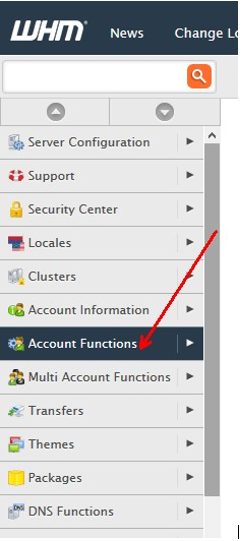
3: Then click on “Quota Modification” as shown below.

4: After clicking on “Quota Modification” Select your domain or user name you want to modify.

5: After selecting your domain you will see your domain history like IP, owner, email, Disk used, Disk limit etc.…

6: Click on “Modify” button. You can change your disk quota in MB and then click on “Save” button.